How to Check Income Tax Notice in Portal (Step-by-Step Guide for Taxpayers)
Sometimes the notice arrives before you even realize it
Many taxpayers imagine an income tax notice as a physical letter arriving at their home.
But that’s not how things usually work now.
Most notices appear directly inside the government portal first.
And here’s the surprising part—people often miss them because they never check their account regularly.
That’s the moment confusion begins.
Someone files their return… months pass… then suddenly a message appears saying a notice is pending.
Now the question becomes simple but urgent.
Where exactly do you check it?
Let’s slow down and walk through it properly.
Why income tax notices now appear online
The income tax department has shifted most communication to the e-filing portal.
Which actually makes sense.
Everything related to your tax profile — returns, AIS reports, TDS details, refunds, and notices — is linked to one login.
So instead of sending letters for every issue, the department posts notices digitally.
Now think about this for a second.
If your return shows some mismatch, the system automatically flags it.
And a notice appears in your account.
No physical letter needed.
Most taxpayers discover this the hard way — when a message suddenly appears saying “Action required.”
The basic idea behind checking an income tax notice
Before we jump into steps, let’s understand the core process.
Because the steps are actually very simple.
The official instruction usually looks like this:
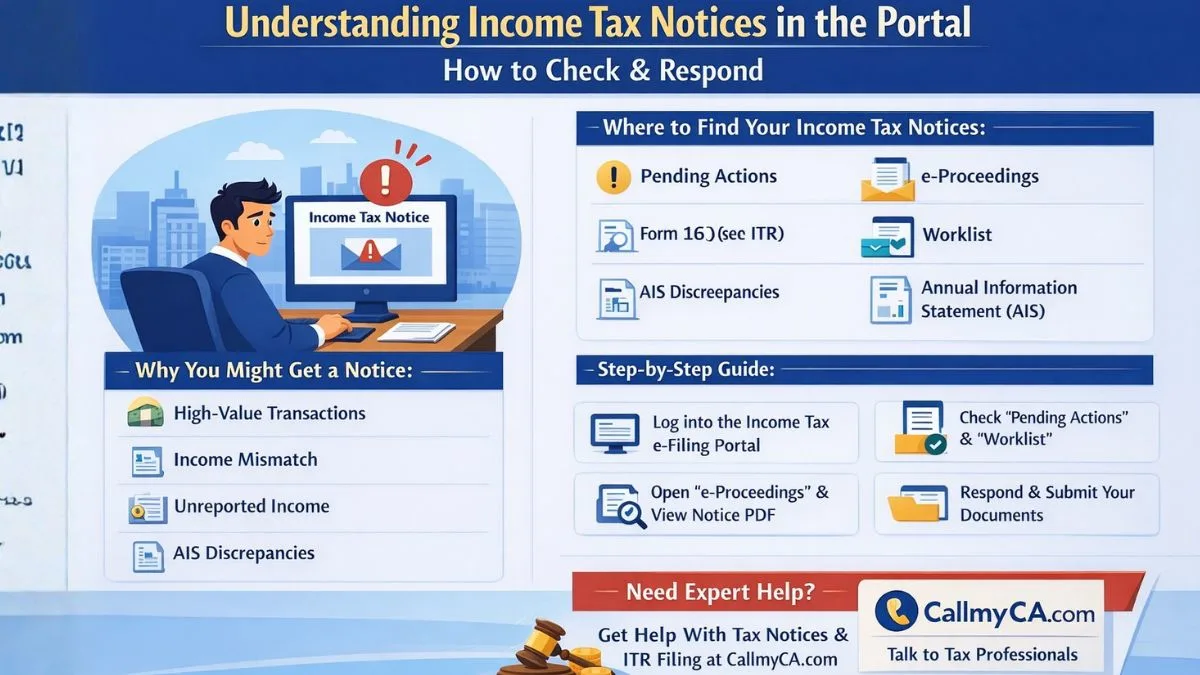
“To check for income tax notices, log in to the Income Tax e-Filing portal using your PAN/Aadhaar. Navigate to the 'Pending Actions' tab and select 'e-Proceedings' to view, download, and respond to notices. Alternatively, check the 'Worklist' or 'Annual Information Statement (AIS)' under the 'Services' tab.”
That single instruction basically explains the whole process.
But if you’re doing it for the first time, it can still feel confusing.
So let’s break it down like a real user would.
Step-by-step: how to check income tax notice in portal
First things first.
You need access to the official Income Tax e-filing portal.
Here’s how most taxpayers check their notice.
Step 1—Log in to the income tax portal
Open the official portal and log in using:
- PAN number
- Aadhaar (if linked)
- Password
- Captcha code
Once logged in, you will reach your dashboard.
This dashboard shows pending actions, filings, refunds, and notices.
Sometimes the notice is visible right there.
But not always.
Which is why you need to check a few specific sections.
Step 2—Go to the “Pending Actions” section
Look at the top menu.
You will usually see a tab called Pending Actions.
Click it.
Inside this section you’ll find the following:
- e-Proceedings
- Response to Notices
- Compliance requests
If the department has issued a notice requiring your response, it will appear here.
That’s where things usually get serious.
Step 3 — Open e-Proceedings
Inside Pending Actions, select e-Proceedings.
This is where the system stores notices that require taxpayer replies.
You’ll see details such as the following:
- Notice reference number
- Assessment year
- Date issued
- Response due date
Click the notice.
Now you can view or download the notice PDF.
Step 4 — Download the notice
Always download the notice.
Even if you only want to read it quickly.
Why?
Because the PDF contains the complete explanation.
Most notices mention:
- Section of the Income Tax Act
- Reason for notice
- Required response
- Deadline
And trust me… deadlines matter.
Missing them can create bigger problems later.
Another place people forget to check
Here’s something interesting.
Sometimes the notice isn’t under Pending Actions.
Instead, it appears in Worklist.
Yes, that happens.
Which is why experienced tax professionals always check multiple sections.
Checking the Worklist section
Inside the Income Tax portal, look for the Worklist option.
This area shows tasks assigned to your account.
It may include:
- Notices requiring response
- Information requests
- Pending verification
If a notice appears here, you can open it the same way — view the document and download it.
Simple.
But many taxpayers skip this section.
The AIS section can also reveal notices
Now here’s where things get interesting.
The Annual Information Statement (AIS) sometimes highlights transactions that triggered a notice.
Let’s pause for a moment.
AIS is basically a financial activity report that the income tax department receives from banks, mutual funds, brokers, and other institutions.
It records:
- High-value deposits
- Stock transactions
- Property purchases
- Interest income
If something in AIS doesn’t match your tax return…
You guessed it.
A notice might appear.
How AIS helps identify tax issues
Inside the portal, go to:
Services → Annual Information Statement (AIS)
Check the reported transactions.
Look carefully.
Does something look unfamiliar?
For example:
- Large bank deposit not shown in ITR
- Stock sale not declared
- High-value credit card payment
These mismatches are one of the most common reasons notices are issued.
Most taxpayers discover this only after checking AIS.
What an income tax notice usually means
Now let’s clear one big misunderstanding.
Receiving an income tax notice does not automatically mean you did something wrong.
In many cases, it’s simply asking for clarification.
Think of it as a question.
The department might want confirmation about:
- TDS mismatch
- income reporting difference
- high-value transaction
- missing details
Sometimes the issue is small.
Very small.
But ignoring the notice is where problems begin.
Common reasons taxpayers receive notices
After seeing hundreds of cases, tax professionals notice the same patterns.
Here are some common triggers.
Income mismatch
Income reported by banks or employers doesn’t match the tax return.
High-value transactions
Large deposits, investments, or property purchases reported in AIS.
TDS mismatch
TDS deducted but not shown correctly in the return.
Unreported capital gains
Stock or mutual fund sales missing from ITR.
Incorrect deductions
Claiming deductions that don’t match records.
Most notices come from these simple mismatches.
Nothing dramatic.
But still important.
What to do after downloading the notice
Once you open the notice, read it slowly.
Don’t panic.
Start with three things.
- Identify the section number mentioned in the notice.
- Understand the issue raised by the department.
- Check the response deadline.
That deadline is critical.
Sometimes it’s 15 days.
Sometimes 30.
Missing it can escalate the case.
Responding through the income tax portal
Good news though.
Most notices can be answered directly through the portal.
You usually need to upload documents such as the following:
- bank statements
- Form 16
- investment proof
- transaction details
Once submitted, the income tax department reviews the response.
And often, the issue closes there.
No further action needed.
A small habit that saves big trouble
Here’s a simple tip many professionals follow.
They log into the portal once every month.
Just to check notifications.
That’s it.
It takes two minutes.
But it prevents situations where a notice sits unanswered for months.
Because honestly…
Most taxpayers don’t check their account unless they’re filing returns.
And that’s where problems start.
One more thing worth remembering
Sometimes taxpayers rely only on email alerts.
But email notifications can fail.
Spam folder.
Server delays.
Missed alerts.
So the safest method is always checking the portal directly.
If there’s a notice, it will appear there first.
Always.
Final thoughts
Understanding how to check income tax notices in the portal is honestly one of those small things every taxpayer should know.
It’s not complicated.
Just log in to the income tax portal, check pending actions, open e-proceedings, review the worklist, and occasionally look at AIS.
That’s the entire process.
And once you’ve done it once, it becomes routine.
But if a notice looks confusing or you’re unsure how to respond, it’s usually better to take professional advice rather than guessing the answer.
Tax matters can be technical sometimes.
Platforms like Callmyca.com help taxpayers understand notices and respond correctly, especially when the issue involves income mismatches or compliance questions.
Sometimes a quick expert review saves a lot of unnecessary stress later.