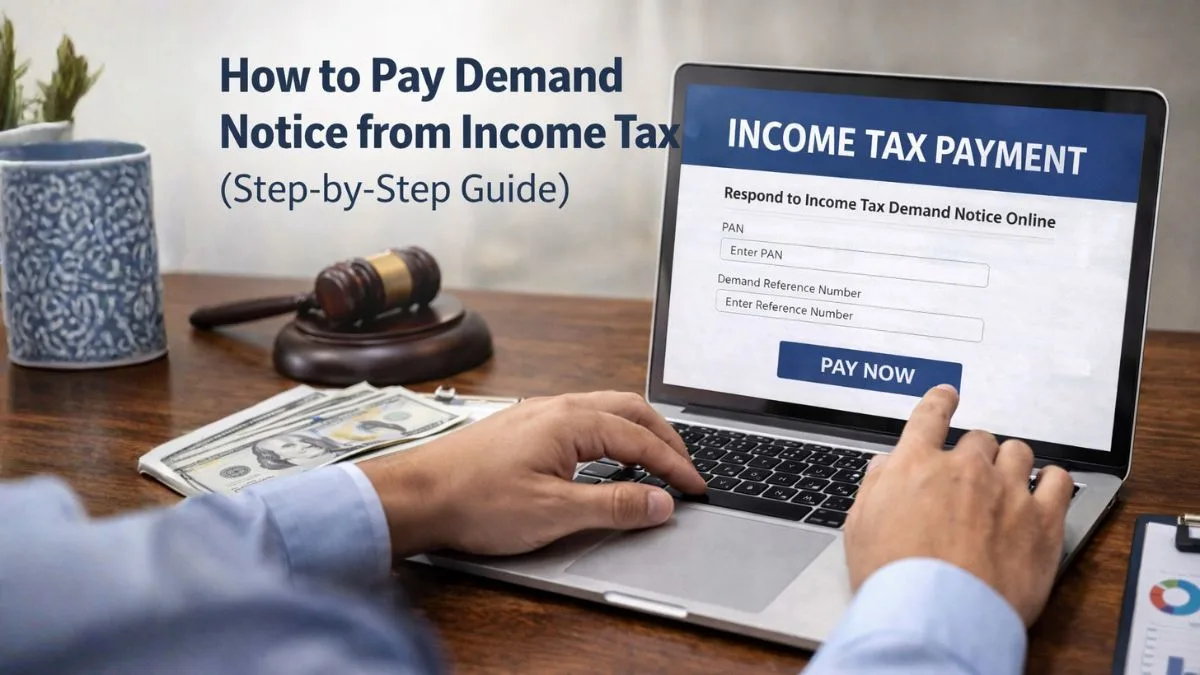
How to Pay Demand Notice from Income Tax (Step-by-Step Guide)
What Is an Income Tax Demand Notice?
Getting a tax notice can feel stressful at first. Most people assume something has gone terribly wrong.
But here’s the interesting part—many income tax demand notices are actually routine adjustments.
Sometimes the tax department simply finds a mismatch between what you reported and what appears in their system. When this happens, they issue a demand asking you to either explain the difference or make a demand payment.
In simple terms, a demand notice means the income tax department believes you still owe some tax.
The notice may arise because of the following:
-
Mismatch between Form 26AS and your return
-
Incorrect tax calculation
-
Unreported income
-
Missing TDS entries
-
Previous year tax adjustments
Once the notice is issued, taxpayers have two options:
-
Agree with the demand and pay the tax demand.
-
Disagree and submit a response with proof
Most people who agree with the calculation simply proceed to pay tax through the official portal.
And thankfully, the process today is quite straightforward.
Why You Might Receive a Tax Demand
Let’s understand this in practical terms.
Imagine you filed your return showing total tax liability of ₹40,000. You paid ₹35,000 through TDS and self-assessment tax. That leaves ₹5,000 unpaid.
The income tax department’s system automatically identifies the shortfall and generates a demand notice.
This notice is commonly issued under Section 143(1) after return processing.
Here are common reasons people receive tax demand notices:
-
TDS claimed but not reflected in government records
-
Advance tax not reported properly
-
Interest under sections 234A, 234B, or 234C
-
Incorrect deductions claimed
-
Tax calculation mistakes
Most people don’t realize this, but even a small mismatch can trigger a notice.
That’s why it's important to carefully review the notice before making a payment.
Step-by-Step: How to Pay Demand Notice from Income Tax
Now let’s get to the practical part.
If you agree with the demand, you simply need to log in and complete the demand payment online.
Here is the exact step-by-step process.
Step 1: Log in to the Income Tax e-Filing Portal
Go to the official income tax portal and log in using the following:
-
PAN number
-
Password
-
OTP verification
Once you are inside your account dashboard, you will see different tax services.
Now the real action begins.
Step 2: Go to Pending Actions
After logging in:
-
Click Pending Actions
-
Select Response to Outstanding Demand
This section shows all tax demands issued against your PAN.
Each entry will show details such as the following:
-
Assessment Year
-
Demand amount
-
Date of notice
-
Status of response
Take a moment to verify the details.
Then click the notice to proceed.
Step 3: Review the Demand Details
Before you pay the tax demand, always review the demand breakdown.
The portal will show:
-
Total demand raised
-
Tax component
-
Interest component
-
Penalty if applicable
This is important because sometimes taxpayers discover calculation mistakes.
If everything looks correct, you can move forward with the demand payment.
Step 4: Click “Pay Now."
Next, click the Pay Now button.
This redirects you to the tax payment gateway.
At this stage, the portal automatically fills in:
-
Assessment year
-
PAN details
-
Amount payable
You simply need to choose the payment mode.
Step 5: Choose Payment Mode
The income tax portal allows several payment options.
You can pay tax using:
-
Net banking
-
Debit card
-
RTGS / NEFT
-
Payment gateway through selected banks
Net banking is usually the fastest method.
Once the bank page opens, confirm the payment details and complete the transaction.
Within seconds, the tax amount will be debited.
And yes—the demand payment gets recorded automatically.
Step 6: Submit Response After Payment
Here’s something many taxpayers forget.
Paying the demand alone is not enough.
After you pay the tax demand, you must submit a response confirming that you agree with the demand.
Go back to the Response to Outstanding Demand section and select the following:
Agree with Demand
Enter the payment details such as
-
Challan number
-
BSR code
-
Date of Payment
Then submit the response.
This final step closes the demand officially.
Important Things to Check Before You Pay Tax
Before rushing to pay tax, pause for a moment.
Sometimes the demand might actually be incorrect.
So it’s wise to verify the following:
-
Compare demand with Form 26AS
-
Check AIS and TIS statements
-
Review deductions claimed
-
Confirm advance tax entries
-
Verify TDS credit
Here’s the interesting part.
Many demands occur simply because a TDS entry appears later in the system.
If you pay the tax demand immediately without checking, you might end up paying tax twice.
That’s why reviewing the notice carefully is always recommended.
What If You Disagree with the Demand?
Not every demand needs Demand Payment.
If you believe the tax department is wrong, you can submit a disagreement response.
The portal provides options like the following:
-
Demand already paid
-
Rectification filed
-
Appeal pending
-
Demand is incorrect
You will need to upload proof such as
-
Challan copy
-
Rectification request number
-
Tax calculation sheet
Once submitted, the income tax department reviews the response.
And in many cases, the demand gets corrected or removed.
How Long Do You Have to Pay the Demand?
Most income tax demands specify a response time.
Typically, taxpayers should respond within 30 days.
If you agree with the demand, you should pay tax before the due date to avoid additional interest.
Delaying the payment may lead to the following:
-
Additional interest charges
-
Adjustment against refunds
-
Recovery proceedings in extreme cases
So it’s always better to complete the demand payment as soon as possible.
What Happens After You Pay the Demand?
Once the payment is completed and response submitted, the status changes.
Initially it may show the following:
Response Submitted
Later, after verification by the income tax department, it updates to:
Demand Closed
You can also download the challan receipt for your records.
Keep this document safely because it proves you have already paid the tax demand for that assessment year.
Common Mistakes People Make While Paying Tax Demand
Over the years, tax professionals have seen the same mistakes repeatedly.
Here are a few to avoid.
1. Paying Without Checking the Notice
Some taxpayers immediately make the demand payment without verifying calculations.
2. Selecting the Wrong Assessment Year
Always ensure the correct year before you pay tax.
3. Forgetting to Submit Response
Payment alone does not close the demand. Response submission is required.
4. Using Wrong Challan Details
An incorrect payment entry may cause reconciliation issues.
5. Ignoring the Notice Completely
Ignoring a demand from the income tax department can cause bigger complications later.
A little attention now can save a lot of stress later.
Quick Summary: How to Pay Tax Demand
Let’s recap the entire process quickly.
If you receive a demand notice:
-
Log in to the income tax e-Filing portal
-
Go to Pending Actions → Response to Outstanding Demand
-
Review demand details
-
Click Pay Now
-
Choose Payment method
-
Complete the demand payment.
-
Submit response agreeing with the demand
That’s it.
Your pay tax demand process is completed.
Simple, right?
Final Thoughts
Receiving an income tax demand notice can feel alarming at first.
But most of the time, it’s simply a calculation difference that needs to be corrected.
The key is not to panic.
Instead:
-
Review the notice carefully
-
Verify the demand amount
-
Make the Demand Payment if you agree
-
Submit the proper response on the portal
Once you pay tax and update the response, the issue usually gets resolved quickly.
And going forward, regularly checking your AIS, TIS, and Form 26AS can help avoid such demands in the future.
Need help responding to an income tax notice or filing your return correctly?
You can get professional assistance from tax experts at Callmyca.com, where specialists help taxpayers handle income tax notices, demand payment, and return filing smoothly without unnecessary stress.