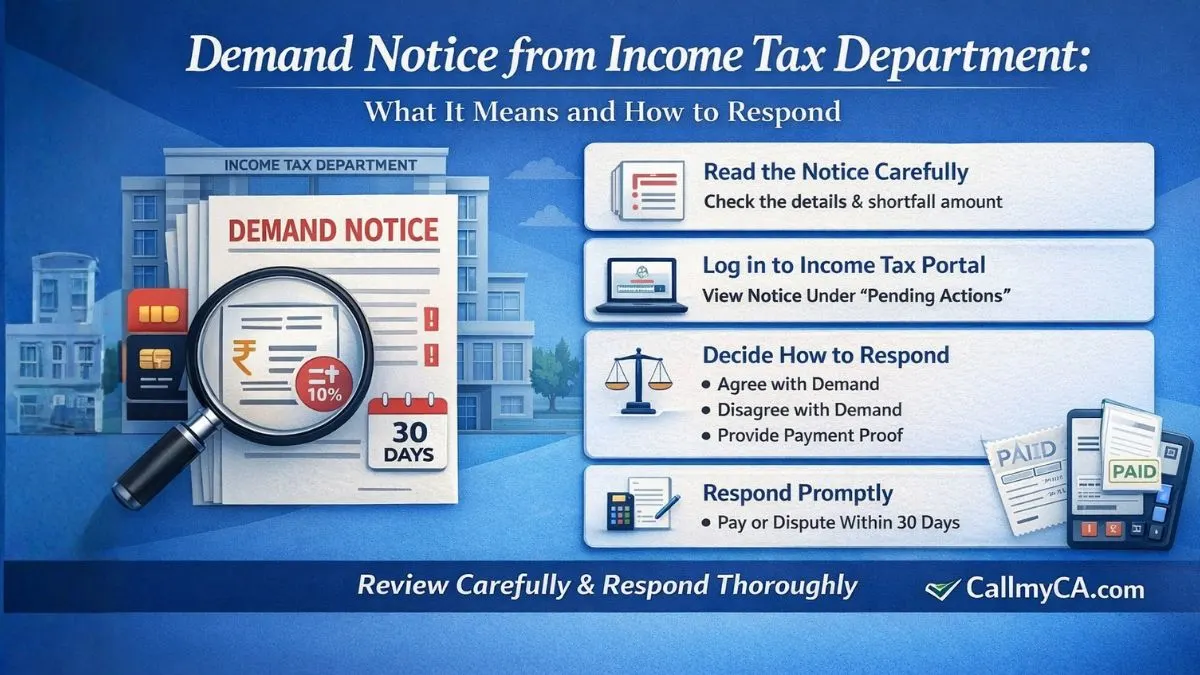
Demand Notice from Income Tax Department: What It Means and How to Respond
Understanding a Demand Notice from Income Tax Department
Getting a demand notice from the income tax department can feel unsettling at first. The moment taxpayers see a notification from the Income Tax Department, the immediate reaction is usually worry.
But here’s the interesting part.
A demand notice does not always mean something serious has gone wrong. Sometimes it simply means the tax department has found a mismatch between the tax you reported and the tax recorded in its system.
Let’s understand this in simple terms.
An Income Tax Demand Notice (usually Section 156) is an official notification of a tax shortfall, requiring payment within 30 days. In other words, the tax department believes that some amount of tax is still pending, and they want the taxpayer to either pay it or explain why the calculation is incorrect.
So yes, the notice is a demand for tax payment — but it is also an opportunity to review the details and respond properly.
Most people don’t realize this.
You don’t always have to immediately pay the amount mentioned. Sometimes the demand appears due to technical issues, incorrect credit of TDS, or mismatches between tax returns and department records.
That’s why reviewing the notice carefully is the first step.
What Exactly Is an Income Tax Demand Notice?
An Income Tax Demand Notice (usually Section 156) is an official notification of a tax shortfall, requiring payment within 30 days. It is issued by the Income Tax Department when they believe additional tax is payable after processing your income tax return.
This usually happens after the department processes your return under section 143(1) or after an assessment.
Here’s how it works in practice.
Suppose you filed your return showing a tax liability of ₹10,000 and paid that amount. However, the tax department system calculates your tax liability as ₹12,000.
In that case, the difference of ₹2,000 becomes a demand, and the department sends a demand notice asking you to pay the balance amount.
Small gap. Big confusion.
And this situation happens more often than people think.
Common reasons include:
-
TDS credit not appearing in Form 26AS
-
Incorrect reporting of advance tax
-
Mismatch between AIS and ITR
-
Calculation differences in deductions or income
-
Processing adjustments by the Income Tax Department
So when you receive a demand notice, it simply means the department believes additional tax is payable.
But again, always verify the details before taking action.
Why the Income Tax Department Issues a Demand Notice
There are several reasons why the Income Tax Department may issue a demand notice. In many cases, it’s not about wrongdoing but about mismatched data.
Let’s look at the most common triggers.
1. Mismatch in TDS Credit
One of the biggest causes of tax demand is missing or incorrect TDS credit.
For example, your employer deducted tax, but the amount wasn’t properly reported in the system. When the department processes your return, it doesn’t see the TDS credit and calculates a higher tax payable.
Result?
A demand notice.
2. Errors in Income Reporting
Sometimes taxpayers accidentally miss reporting a source of income, such as
-
Bank interest
-
Freelance income
-
Capital gains
-
Foreign remittances
When the Income Tax Department detects these through AIS or TIS data, they adjust the tax calculation and issue a notice that is a demand for additional tax.
3. Incorrect Tax Calculation
Another common reason is simply a calculation difference.
The system might apply tax rules differently or detect an ineligible deduction. This creates a difference between your calculation and the department’s calculation.
And that difference becomes a demand.
4. Adjustment of Refund
Sometimes taxpayers expect a refund but instead receive a demand notice.
This happens when the department adjusts previous year tax dues against the current refund.
So instead of getting money back, the system raises a demand notice from the income tax department.
Unexpected, right?
But it happens quite often.
Time Limit to Pay an Income Tax Demand
Let’s talk about deadlines.
Because this part is important.
An Income Tax Demand Notice (usually Section 156) is an official notification of a tax shortfall, requiring payment within 30 days.
Yes, typically the taxpayer must respond within 30 days from the date the demand notice is issued.
This response can include:
-
Paying the demand
-
Disagreeing with the demand
-
Partially accepting the demand
-
Submitting proof of earlier payment
Ignoring the demand notice is never a good idea.
If no action is taken, the income tax department may start recovery proceedings, which could include
-
Adjustment against future refunds
-
Penalty charges
-
Interest on unpaid tax
So even if you believe the notice is a demand issued incorrectly, you should still respond on the portal.
Silence doesn’t help.
How to Check Demand Notice Online
Many taxpayers ask this question.
How do you actually view the demand notice from the income tax department?
The process is simple and can be done through the income tax portal.
Follow these steps:
-
Log in to the Income Tax e-Filing portal
-
Go to Pending Actions
-
Click on Response to Outstanding Demand
-
View the demand notice details
-
Choose how you want to respond
And here’s an important reminder.
Taxpayers must review, verify, and respond via the e-Filing portal under "Pending Actions."
Before clicking anything, check the demand details carefully. Compare the numbers with your filed return, Form 26AS, AIS, and tax payment receipts.
Sometimes the issue becomes obvious within minutes.
How to Respond to an Income Tax Demand Notice
Now comes the practical part.
When responding to a demand notice, the portal typically gives three main options.
1. Agree with the Demand
If you check the details and confirm that the demand is correct, you can select the option to agree.
After that, you simply pay the tax through the portal using challan payment.
Once payment is made, the demand notice will be marked as resolved.
2. Disagree with the Demand
If you believe the tax department’s calculation is incorrect, you can choose to disagree.
Taxpayers can disagree partially or fully depending on the situation.
For example:
-
TDS credit not given
-
Advance tax already paid
-
Demand already settled earlier
-
Rectification filed
In such cases, you must upload supporting details explaining why the notice is a demand raised incorrectly.
3. Submit Proof of Previous Payment
Sometimes taxpayers already paid the tax earlier, but the department system hasn’t updated it yet.
In that case, you can submit the challan details such as
-
BSR code
-
Challan number
-
Date of payment
Once verified, the Income Tax Department updates the record and clears the demand notice.
Simple.
But extremely important.
Common Mistakes People Make with Demand Notices
When dealing with a demand notice from the income tax department, taxpayers often make avoidable mistakes.
Let’s quickly go through a few of them.
Ignoring the Notice
Many people assume the demand is a system error and simply ignore it.
Bad idea.
The department system continues tracking the demand notice, and unresolved demands can affect future refunds.
Paying Without Checking
Some taxpayers immediately pay the amount without verifying the reason.
Later they realize the demand was incorrect.
So always review first.
Not Responding on the Portal
Another common mistake is emailing or contacting the department but not updating the response on the portal.
Remember this line.
Taxpayers must review, verify, and respond via the e-Filing portal under "Pending Actions."
The portal response is what officially resolves the demand notice.
Can an Income Tax Demand Notice Be Corrected?
Yes, absolutely.
If the Income Tax Department has made an error in processing your return, you can file a rectification request under Section 154.
This allows correction of mistakes such as the following:
-
TDS mismatch
-
Incorrect tax calculation
-
Missing tax credit
-
Wrong adjustment of refunds
Once the rectification request is processed, the demand notice may get reduced or completely removed.
This is why reviewing the demand notice carefully is so important.
Often the issue is just a small data mismatch.
Final Thoughts
Receiving a demand notice from the income tax department might feel stressful at first, but it’s usually manageable if handled correctly.
The key thing to remember is this:
An Income Tax Demand Notice (usually Section 156) is an official notification of a tax shortfall, requiring payment within 30 days.
It simply means the Income Tax Department believes there is a difference between the tax you reported and what their system calculated.
So when a demand notice appears:
-
Review the details carefully
-
Compare it with your tax records
-
Respond through the portal
-
Pay or dispute the demand if necessary
A calm and systematic approach usually resolves the issue quickly.
And most people realize afterwards that the situation was much simpler than it initially seemed.
If you’ve received a demand notice and want expert help understanding or resolving it, you can explore professional tax assistance through Callmyca.com, where experienced tax professionals help individuals handle notices from the Income Tax Department smoothly and without stress.