143 Notice Income Tax: What is Section 143(1) Intimation & What To Do
You filed your Income Tax Return.
After some time, you receive an email saying —
“Intimation under Section 143(1)”
Now you’re wondering:
“Is this a notice?”
“Do I have to pay something?”
Relax.
A 143 notice income tax is one of the most common communications sent by the department. In most cases, it’s not a problem at all.
What is 143(1) Intimation of Income Tax?
An intimation u/s 143(1) is a communication sent after your return is processed by the Centralised Processing Centre (CPC).
It is basically a comparison:
- What you filed
- What the department calculated
This intimation informs you about the result of that comparison.
Why Do You Receive a 143(1) Notice?
After you file your return:
- The department processes your data
- Matches it with records (TDS, AIS, etc.)
- Calculates your tax
Then they send you an intimation u/s 143(1).
So this is the first step after filing your Income Tax Return.
What Does the 143(1) Intimation Show?
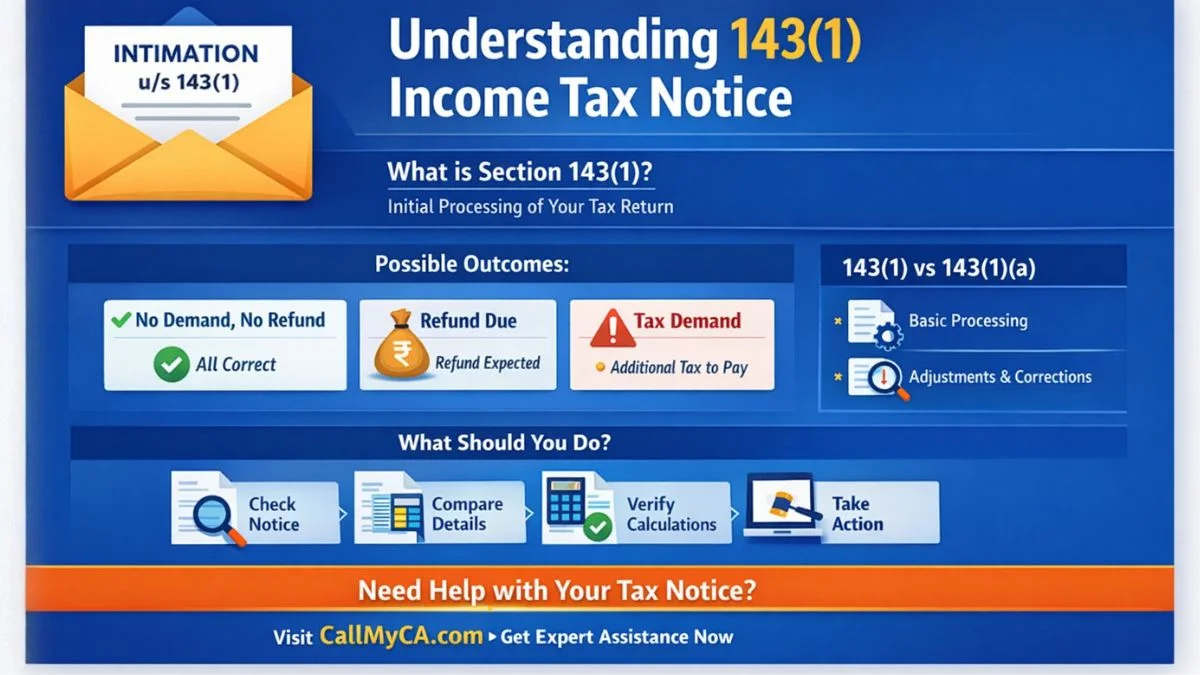
Your income tax intimation u/s 143(1) can show three outcomes:
1. No Demand, No Refund
Everything matches. No action required.
2. Refund Due
You will receive a refund.
3. Tax Demand
You need to pay additional tax.
Difference Between 143(1) and 143(1)(a)
Many people get confused here.
Section 143(1)
- Basic processing of return
- No detailed scrutiny
Section 143(1)(a)
- Adjustments made during processing
- Corrections for errors or mismatches
For example:
- Incorrect deduction
- Missing income
- Calculation error
Is 143(1) a Scrutiny Notice?
No.
This is very important.
- A 143(1) notice is NOT a scrutiny notice
- It is just an automated processing step.
Scrutiny notices are issued under Section 143(2).
How to Check Income Tax Intimation u/s 143(1) Online
Many people search income tax intimation u/s 143(1) online status.
Here’s how to check:
Steps:
- Login to income tax portal
- Go to “e-File”
- Select “Income Tax Returns”
- Click “View Filed Returns”
- Download intimation
You can also check the status online.
How to Download 143(1) Intimation PDF
To download the notice:
- Login to portal
- Go to filed returns
- Click download
- Enter password
- The password is usually your PAN date of birth.
This is called income tax intimation u/s 143(1) online.
What to Do If Intimation u/s 143(1) is Received
Don’t panic.
Just follow these steps:
1. Read the Intimation Carefully
Check if there is any demand.
2. Compare With Your Return
Look for differences.
3. Verify Calculations
Check income, deductions, and tax.
4. Take Action
Depending on the result.
If Refund is Mentioned
Good news.
- You will receive your refund
No action required.
If There is No Change
Even better.
- Your return is accepted
Nothing to do.
If There is a Tax Demand
Then you need to act.
- Check why the demand is raised
If correct:
- Pay the tax
If incorrect:
- File rectification
How to Pay Tax After 143(1) Intimation
If you have a demand:
- Go to e-Pay tax
- Select payment type
- Enter details
- Make payment
This is known as income tax intimation u/s 143(1) online payment.
Income Tax Notice Time Limit
The department usually sends this intimation within:
- 9 months from the end of the financial year
- So if you filed your return, you may receive it within this period.
Common Reasons for Tax Demand
If demand is raised, it may be due to:
- TDS mismatch
- Incorrect deduction
- Missing income
- Calculation error
Always verify before paying.
Common Mistakes to Avoid
Many taxpayers:
Ignore the notice
Don’t check details
Pay without verification
Miss deadlines
Avoid these mistakes.
Final Thoughts
A 143 notice income tax is not something to worry about.
It simply tells you the result of your return processing.
The key is:
- Check the intimation
- Understand the result
- Take action if needed
Most cases require no action at all.
Don’t Ignore Tax Intimations
Received a 143(1) notice and unsure what to do? Don’t take risks with your taxes. Let experts review your case — visit Callmyca.com and get your income tax issue handled quickly and accurately.