Summary:
Learn how to check the notice in the income tax portal step by step. This guide explains how to check the notice in the online income tax portal, how to download the notice from the income tax portal, the income tax notice PDF download process, the income tax notice after the ITR is processed, the income tax notice under section NA PDF, the e-proceedings income tax login steps, the income tax login, the ITR login access, the income tax notice format, and how to track notices through the income tax notice portal safely and correctly.
Received a Notice? First, stay calm.
The moment you see the word “Notice” from the Income Tax Department, your mind starts racing. Did you make a mistake? Is there extra tax payable? Is this something serious?
Take a deep breath.
Most notices issued through the income tax notice portal are routine communications. Sometimes it is simply an intimation after processing. Sometimes it is a clarification request. Very rarely is it something alarming.
What truly matters is knowing how to check the notice in the income tax portal properly and on time. When you understand the process, the fear disappears. Digital communication has made tax compliance more transparent, and the portal gives you full visibility into every income- and tax-related update connected to your PAN.
Knowledge replaces panic.
Why You Must Check the Portal Regularly
Earlier, physical letters used to arrive at your address. Today, almost every notice is uploaded online. If you are not actively checking the portal, you might miss important deadlines.
Learning how to check notices in the income tax portal online ensures you never miss:
-
Refund intimation
-
Demand notice
-
Compliance communication
-
Defective return notice
-
Clarification request
Even if you receive an SMS or email alert, the complete document will only be available inside your income tax login account. Ignoring the portal does not stop the process. The system continues.
Regular checking keeps you ahead.
Step 1: Income Tax Login / ITR Login Process
Before you can access any notice, you must complete the income tax login process.
Here’s how:
-
Visit the official Income Tax portal.
-
Click on Login.
-
Enter your PAN as your user ID.
-
Enter password.
-
Complete OTP verification if prompted.
This is often called ITR login because it is the same account used for return filing. But technically, it is your income tax login for all compliance matters.
Once logged in, your dashboard shows filing status, pending actions, and alerts.
This is your central control panel for everything related to income and tax.
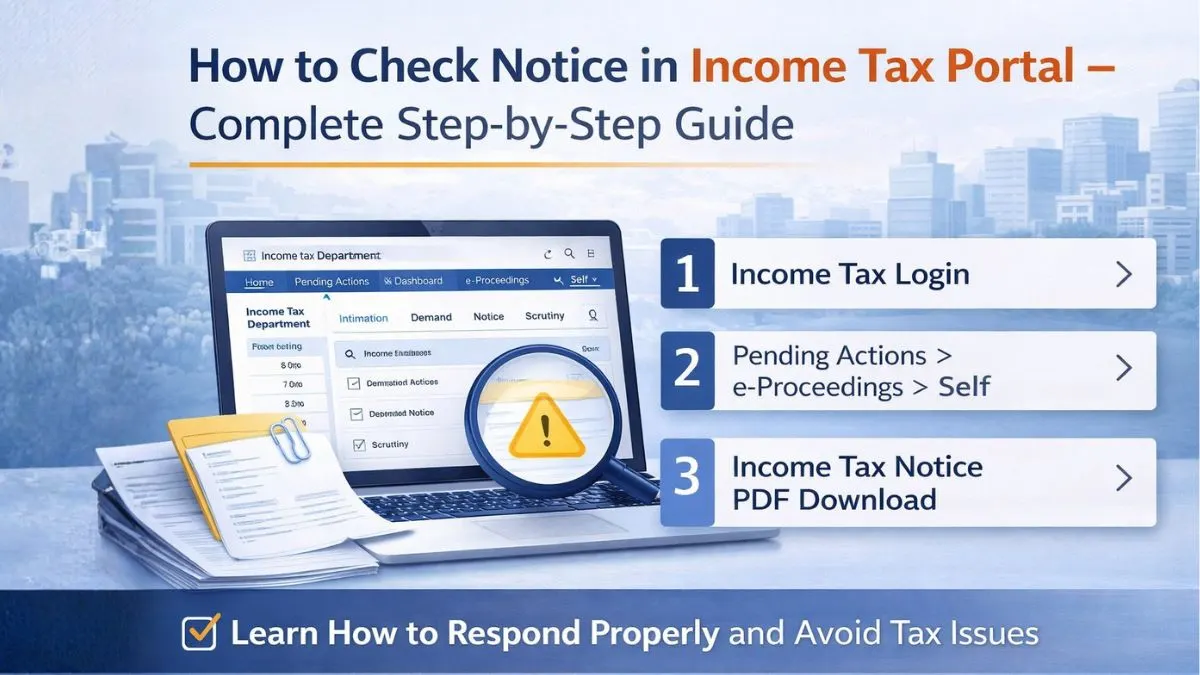
Step 2: How to Check Notice in Income Tax Portal Online
Now comes the main part.
After the income tax login, follow these steps carefully:
-
Click on Pending Actions.
-
Select e-Proceedings.
-
Click on Self.
Here, you will see all active communications.
This section displays:
-
Intimations
-
Notices
-
Demands
-
Clarifications
-
Scrutiny updates
If you want to check older notices, go to:
Services > View Notices and Orders
This section inside the income tax notice portal stores previous records. Now you clearly understand how to check the notice in the income tax portal without confusion.
Step 3: Income Tax Notice PDF Download
Never just read the notice online and leave it there.
Always complete the income tax notice PDF download.
To do this:
-
Click on the Notice link.
-
Open the document.
-
Select Download.
-
Save the PDF securely.
Knowing how to download a notice from the income tax portal is important because:
-
You may need to forward it to your consultant.
-
You may need to upload documents in response.
-
You may need to maintain compliance records.
Digital copies protect you.
Understanding Income Tax Notice Format
Fear usually comes from not understanding structure.
The income tax notice format generally includes:
-
DIN (Document Identification Number)
-
Assessment Year
-
Section reference
-
Details of issue
-
Required action
-
Deadline
Reading the income tax notice format line by line helps you understand whether it is informational or action-based.
Not every notice demands payment.
Some are confirmations.
Some are system-generated comparisons.
Understanding the format reduces stress instantly.
Income Tax Notice After ITR Processed
It is very common to receive an income tax notice after the ITR is processed.
Most of these are issued under section 143(1). They are called intimation notices.
They simply compare:
-
Income declared by you
-
Income available in department records
If everything matches, no action is required.
If there is a mismatch, the notice explains the difference.
Do not panic if you receive an income tax notice after the ITR is processed. Read carefully first.
Income Tax Notice Under Section NA PDF
Sometimes taxpayers search for income tax notices under section NA PDF.
“NA” usually means “Not Applicable” or system classification placeholder. It does not automatically indicate a legal issue.
Download the PDF and read the actual content instead of focusing only on the section label.
The income tax notice portal sometimes categorizes communications generically. The actual text inside the notice explains everything clearly.
Always rely on document content, not just headings.
Using the e-Proceedings Income Tax Login for Response
If your notice requires a reply, use the proceedings income tax login.
Navigate to:
Pending Actions > e-Proceedings
Inside this section, you can:
-
Submit response
-
Upload supporting documents
-
Provide clarification
-
Track reply status
Never respond outside the portal unless officially instructed.
The portal records your response digitally, ensuring proof of compliance.
This structured process makes modern tax communication systematic and transparent.
Checking Outstanding Demand
If you see outstanding demand in your dashboard:
-
Click on Outstanding Demand.
-
Review details carefully.
-
Download the order.
-
Accept or submit disagreement.
Ignoring demand is risky because interest may continue.
Responding in time keeps matters controlled.
How Often Should You Check?
Ideally:
-
After filing return
-
After refund is processed
-
Whenever you receive SMS or email alert
-
At least once every three months
Digital notices are legally valid. Checking regularly ensures you never miss response deadlines.
Consistency prevents complications.
Common Mistakes Taxpayers Make
While using the income tax notice portal, people often:
-
Ignore portal alerts
-
Delay income tax login
-
Forget income tax notice PDF download
-
Upload incomplete documents
-
Miss response deadline
Small delays can convert simple issues into bigger ones.
Be proactive.
Why Digital Awareness Matters
Today’s income and tax compliance are fully online. The portal system is structured, automated, and deadline-driven.
If you understand how to check the notice in the income tax portal, you remain in control. If you ignore it, the system moves forward without you.
Digital literacy is now part of financial responsibility.
Knowing the income tax login, ITR login, and e-proceedings income tax login processes ensures smooth compliance.
Confidence comes from clarity.
Final Thoughts—Stay Logged In, Stay Informed
A notice is not automatically a penalty. It is communication.
When you know how to check the notice in the income tax portal online, how to download the notice from the income tax portal, how to read the income tax notice format, and how to respond using the e-proceedings income tax login, you remove uncertainty.
Log in regularly.
Download every notice.
Read carefully.
Respond within time.
That’s all it takes.
The income tax notice portal exists to make compliance easier, not harder.
If you have received an income tax notice after the ITR was processed or something technical like an income tax notice under section NA PDF and feel unsure about what it means, the experts at Callmyca.com can review your notice, draft the correct response, and help you avoid unnecessary tax complications—because responding correctly today is always cheaper than fixing mistakes tomorrow.