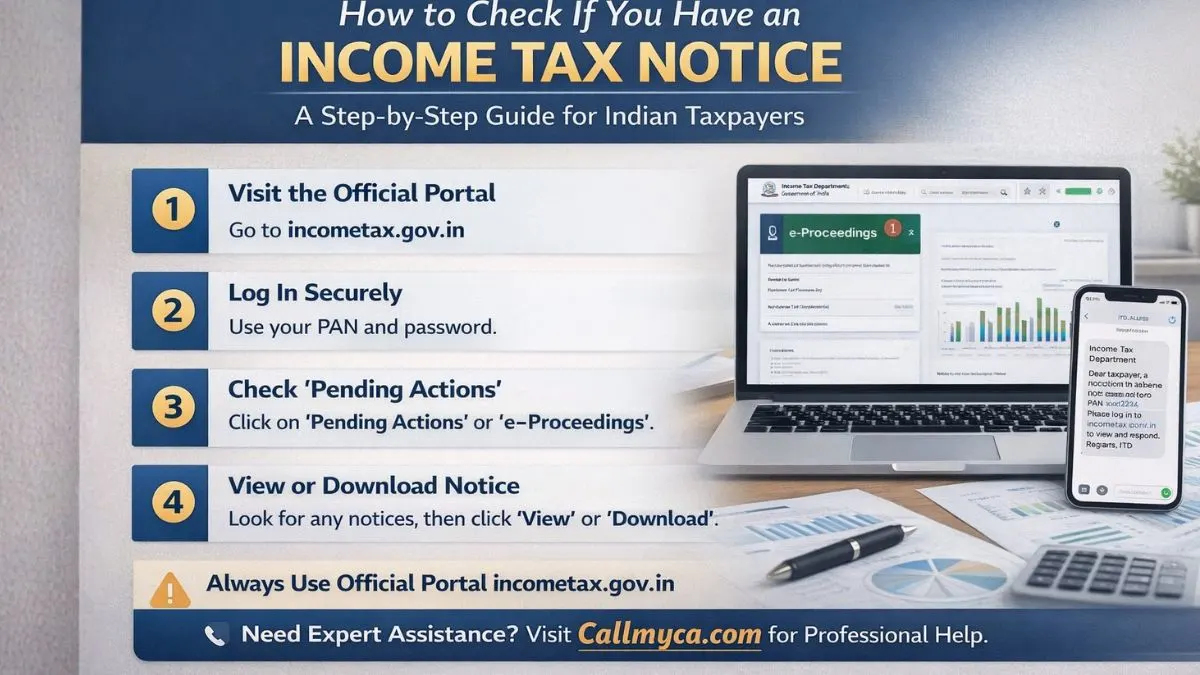
How to Check If You Have an Income Tax Notice: A Complete Step-by-Step Guide for Indian Taxpayers
In today’s digital world, income tax communication has become faster and more transparent. But for many taxpayers, receiving an income tax notice can still feel stressful and confusing. A simple income tax notification on your phone or email is enough to make your heart skip a beat.
You may start wondering: Have I made a mistake? Did I forget something? Will I have to pay a penalty?
If you’ve ever searched for how to check if I have an income tax notice, you’re not alone. Thousands of people look for ways to check notices online every day.
Meta Description
Wondering how to check if I have an income tax notice? Learn where to check the income tax notice on the portal, how to download the notice from the income tax portal, the income tax notice PDF download, how to check the income tax notice by PAN card, the income tax notice portal, the income tax notice message, the income tax notice after the ITR is processed, and how to check the income tax notice online using the e-Proceedings service and the official incometax.gov.in website.
What Is an Income Tax Notice?
An income tax notice is an official communication sent by the Income Tax Department to a taxpayer. It is issued when the department finds something unusual, incomplete, or missing in your tax records.
This notice may be related to:
- Mismatch in income details
- Missing documents
- Incorrect deductions
- Late filing
- Outstanding tax demand
- Verification requirement
- Scrutiny or assessment
Today, most notices are sent digitally through the income tax notice portal and also through email or SMS as an income tax notification.
Why Do People Receive Income Tax Notices?
Before learning how to check, it’s important to understand why notices are sent.
Here are some common reasons:
- You did not file your ITR
- Your reported income does not match AIS or Form 26AS
- TDS is missing
- High-value transactions were detected
- Refund mismatch
- Deductions claimed wrongly
- Capital gains not reported
- Bank interest not disclosed
Most notices are routine. They do not mean you are in trouble. They only mean the department needs clarification.
How to Check If I Have Income Tax Notice Online
The easiest and safest way to check is through the official website: incometax.gov.in.
This is the only authorized income tax notice portal for taxpayers in India.
Let’s go step by step.
Step 1: Visit the Official Income Tax Portal
Open your browser and go to:
👉 https://www.incometax.gov.in
This is where all your tax-related records are stored.
Step 2: Log in Using Your PAN Card
If you are wondering how to check an income tax notice by PAN card, here is the answer:
Your PAN is your login ID.
You need:
- PAN Number
- Password
- OTP (if required)
After entering these, click “Login.”
If you don’t have an account, register first using your PAN.
Step 3: Go to the Pending Actions Section
Once logged in, you’ll see your dashboard.
Now click on:
Pending Actions → Worklist
or
Pending Actions → e-Proceedings
This section shows all active notices, communications, and requests from the department.
This is where you can check notices in real time.
Step 4: Check e-Proceedings Service
The e-Proceedings service is one of the most important tools on the portal.
It allows you to:
- View notices
- Upload replies
- Submit documents
- Track status
- Communicate online
Click on e-Proceedings to see if any notice is pending against your PAN.
If there is any communication, it will appear here.
Step 5: Check Filed Returns Section
Sometimes, notices are linked to filed returns.
Go to:
e-File → Income Tax Returns → View Filed Returns
Click on the relevant assessment year.
You may see remarks like:
- Defective Return
- Demand Raised
- Under Processing
- Notice Issued
This is useful to check the income tax notice after the ITR is processed.
How to Check Income Tax Notice Message on Mobile
Many taxpayers receive an income tax notice message on their phone or email.
Usually, it looks like this:
“Dear Taxpayer, a notice has been issued. Please log in to incometax.gov.in for details.”
Important point:
The message never contains full notice details. It only directs you to the portal.
Always verify by logging in. Do not trust third-party links.
How to Authenticate a Notice Without Login
Sometimes, you may receive a notice by post or email and want to verify if it’s genuine.
The portal provides a service called
Authenticate Notice/Order
Steps:
- Go to incometax.gov.in
- Click on “Authenticate Notice/Order.”
- Enter Document Identification Number (DIN)
- Enter PAN
- Click Submit
This confirms whether the notice is real.
How to Download Notice From Income Tax Portal
If you want to keep a record, you can do an income tax notice PDF download easily.
Here’s how:
- Log in to the portal
- Go to e-Proceedings or Worklist
- Click on the notice
- Select “View” or “Download.”
- Save as PDF
Now you have your official notice copy.
This is helpful for consultation or future reference.
How to Check Income Tax Notice After ITR Processed
Many people assume that once their return is processed, everything is done.
But that’s not always true.
Sometimes, an income tax notice after the ITR is processed is issued for:
- Refund mismatch
- Re-verification
- Adjustment under Section 143(1)
- Outstanding demand
To check:
- Log in to the portal.
- Go to “View Filed Returns.”
- Click “Intimation.”
- Download 143(1)
- Check remarks
This helps you know whether any further action is required.
Common Types of Income Tax Notices
Understanding notice types helps you respond better.
1. Section 143(1) – Intimation
This is not serious. It is a processing summary.
2. Section 139(9) – Defective Return
It means your return has mistakes.
3. Section 142(1) – Information Request
They want documents or clarification.
4. Section 143(2) – Scrutiny
Your return is selected for detailed checking.
5. Section 148 – Escaped Income
Income not disclosed earlier.
Each notice comes with instructions and deadlines.
What to Do After Receiving an Income Tax Notice
Do not panic. Follow these steps calmly.
Step 1: Read Carefully
Understand:
- Section number
- Reason
- Due date
- Required documents
Step 2: Verify Details
Match with:
- Form 26AS
- AIS
- Bank statements
- ITR copy
Step 3: Prepare Reply
Collect:
- Salary slips
- Bank interest details
- Investment proofs
- Capital gain statements
Step 4: Respond Online
Upload the reply through the e-Proceedings service.
Never ignore a notice.
Mistakes to Avoid
Many people make these errors:
- Ignoring notices
- Missing deadlines
- Uploading wrong documents
- Giving incomplete replies
- Relying on unofficial sources
- Falling for fake calls
Always use the official income tax notice portal.
How Often Should You Check for Notices?
Ideally, you should:
- Login once every 2–3 months
- Check after filing ITR
- Check before refund season
- Check if you receive SMS/email
Regular monitoring helps you avoid penalties.
Can You Check the Income Tax Notice Without Logging In?
Yes, only for authentication.
But to view full details and reply, login is mandatory.
So, for complete access, portal login is necessary.
Is It Possible to Have No Email But Still Get Notice?
Yes.
Sometimes:
- Email is outdated
- Spam filters block mail.
- Mobile number changed
That’s why checking online is more reliable than waiting for messages.
Benefits of Checking Notices Online
Using the portal gives you:
- Instant access
- 24/7 availability
- Digital records
- Faster resolution
- No physical visits
- Transparent communication
This makes tax compliance simpler.
Final Thoughts
Searching for how to check if I have an income tax notice means you are being responsible with your finances. That itself is a good sign.
With the official portal, the e-Proceedings service, and digital tools, it has become very easy to:
- Check notices
- Download documents
- Verify authenticity
- Reply online
- Track status
You no longer need to panic or visit offices unnecessarily.
All you need is your PAN, login access, and basic understanding.
If you stay alert, updated, and organized, income tax notices will never be a problem for you.
Need Expert Help?
If you want professional assistance in checking, replying to, or resolving your income tax notice smoothly, you can explore our expert services at Callmyca.com—your trusted partner for stress-free tax compliance and smart financial support.